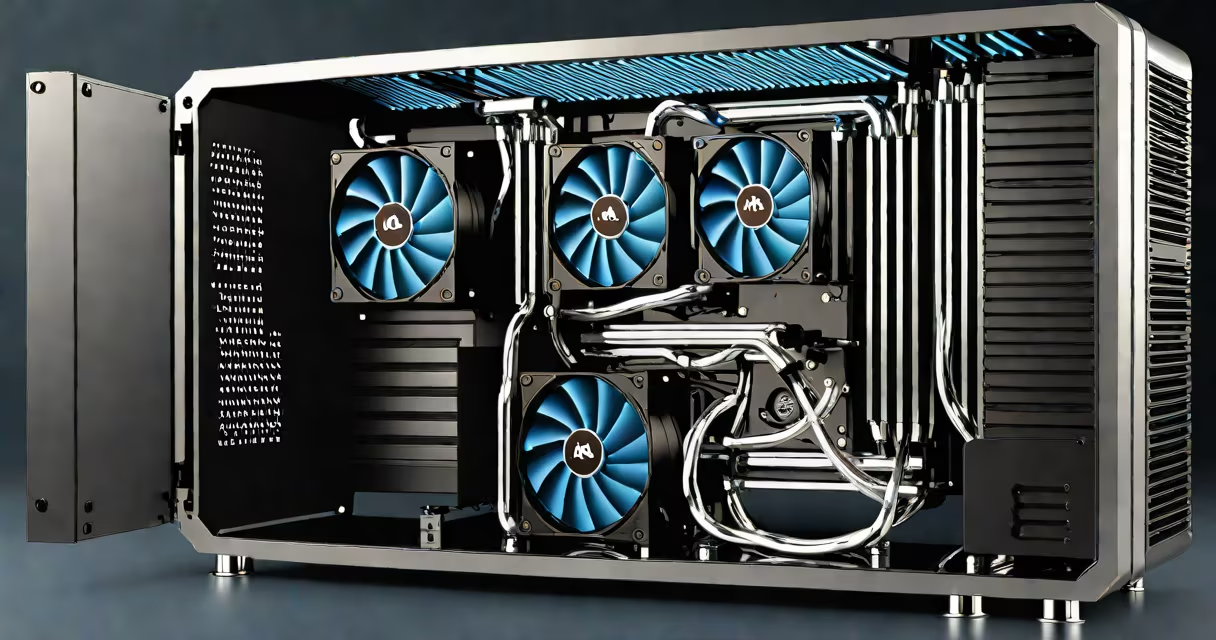
PC water cooling uses liquid to transfer heat away from components like CPUs and GPUs, typically achieving lower temperatures than air cooling. These systems circulate coolant through tubes, a pump, a water block, and a radiator where fans dissipate heat.
A typical system includes a water block attached to the CPU or GPU, a pump to circulate coolant, and a radiator with fans to expel heat. The liquid absorbs heat from the component, flows to the radiator, cools down, and returns to the water block. Custom loops may include reservoirs, additional tubing, and multiple radiators for better performance.
| Type | Description | Pros | Cons |
|---|---|---|---|
| All-in-One (AIO) Liquid Coolers | Pre-assembled units with a closed loop | Easy installation, low maintenance | Limited lifespan, less customizable |
| Custom Loops | DIY setups with separate components | High performance, aesthetic appeal | Complex setup, higher cost, maintenance required |
PC water cooling is ideal for high-performance builds, especially for overclocking or gaming rigs. AIO coolers work well for most users who want better cooling without the complexity of custom loops. Custom loops are best for enthusiasts who prioritize performance and aesthetics.
Many people believe PC water cooling is prone to leaks, but modern systems are designed to minimize this risk. Proper installation and maintenance reduce the likelihood of leaks. Another misconception is that water cooling is always better than air cooling. While it often performs better, air coolers can be sufficient for less demanding tasks.
PC water cooling provides superior temperature control for high-performance systems. Whether choosing an AIO cooler for simplicity or a custom loop for maximum performance, understanding the components and setup process is important for success.